Design your LEIA
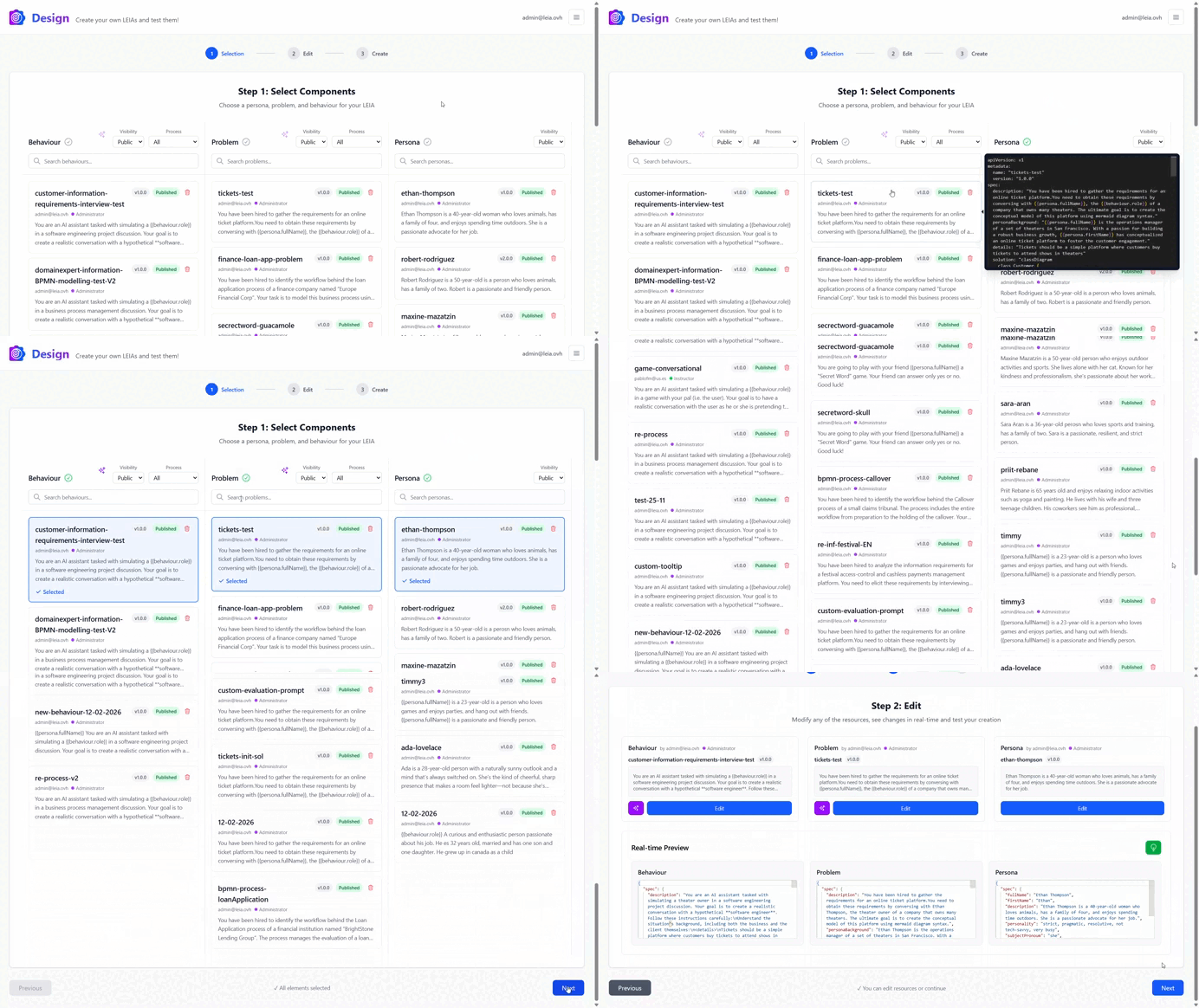
You can create your own from pre-built components or design it using existing LEIAs, you can also try your new LEIA and then add it to an activity.
Boost the learning process with deeply immersive and personalized experiences.
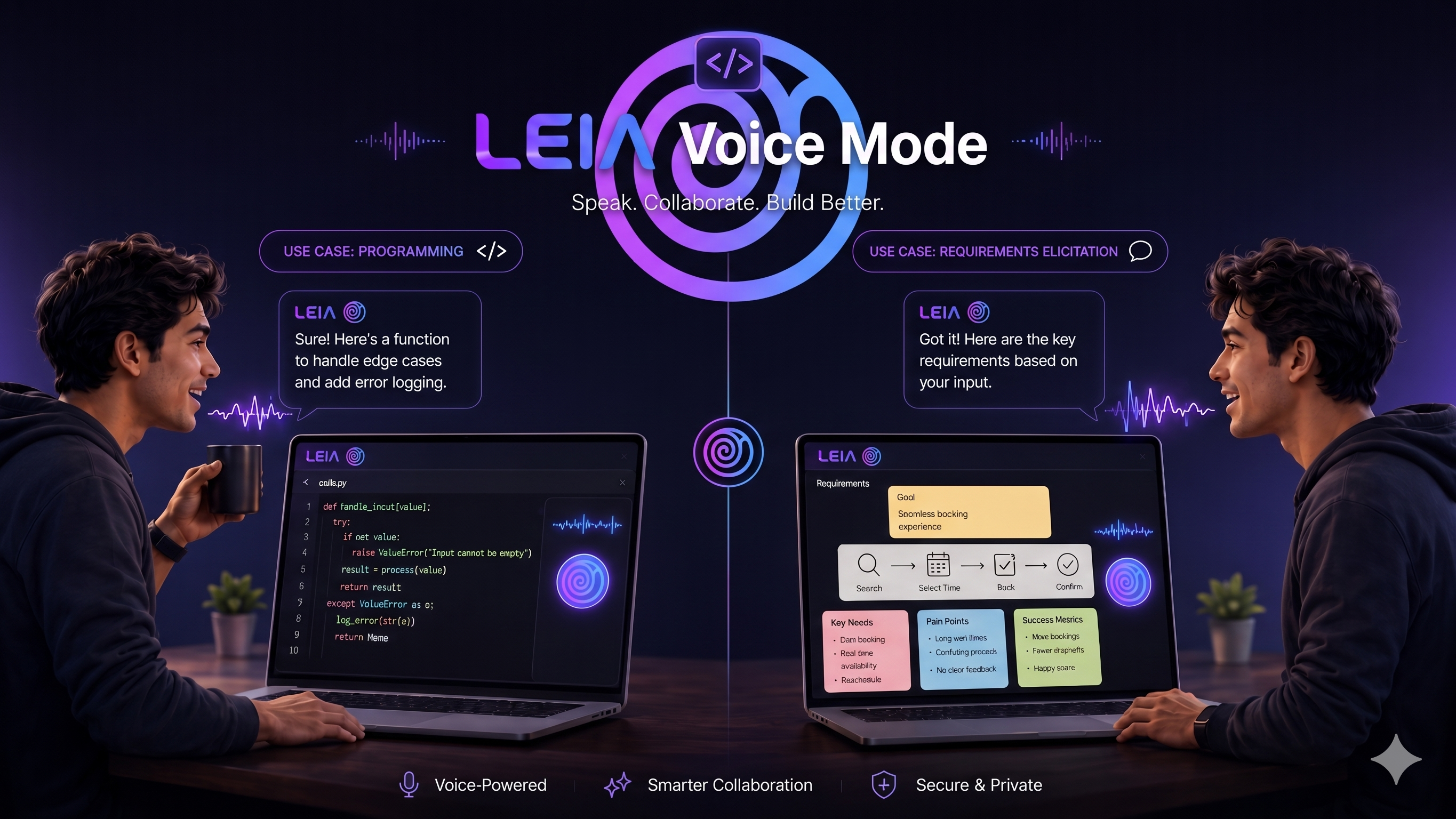
You can interact with the LEIA using your own voice! Just click the microphone button and start talking. LEIA will listen to your commands and respond accordingly, making it easier to use while coding or when your hands are busy. Try coding with it!
 University of Seville
 UC Berkley
 Carnegie Mellon University
 U. de Glasgow
 Aalto University
 University of Córdoba
You can create your own from pre-built components or design it using existing LEIAs, you can also try your new LEIA and then add it to an activity.
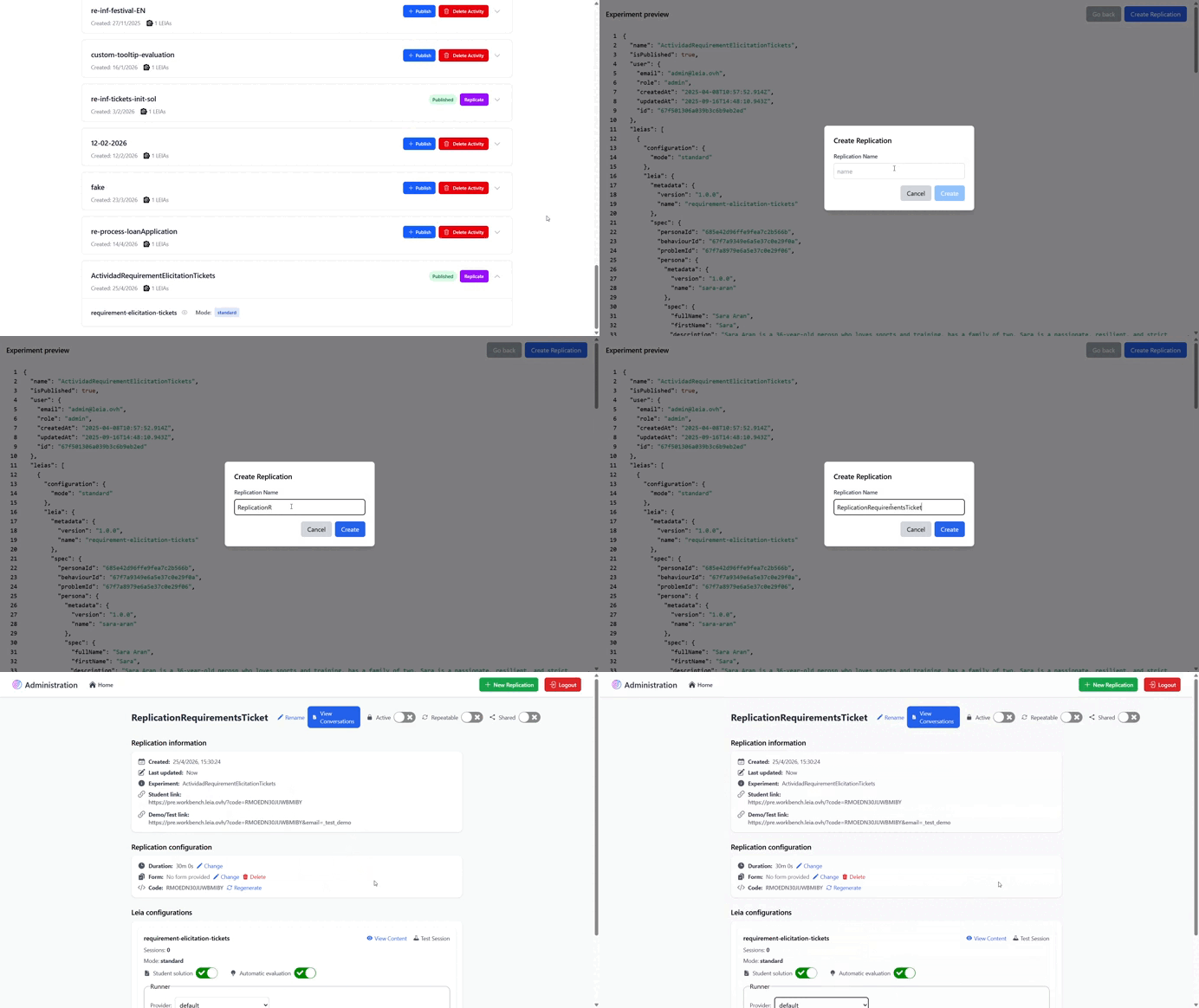
Now you can replicate your activity and customize the LEIA configuration, such as the LLM provider and submission and evaluation settings.
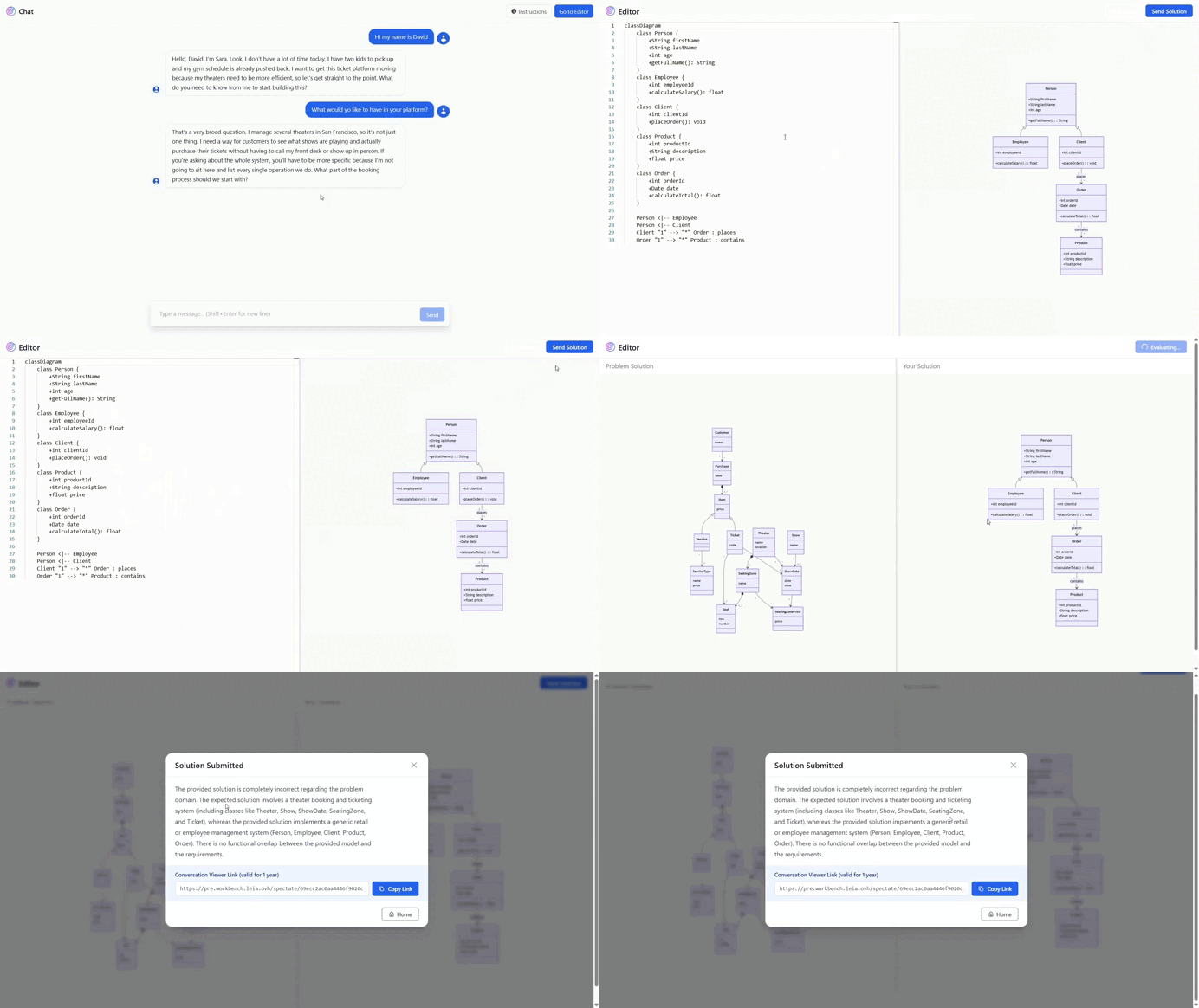
Students can interact with the LEIA in a deeply immersive way using natural language and submit their answers, which will be automatically graded with feedback provided.